 TryRoomDesign
AI Bathroom Design From a Photo
Use a photo to compare shower tile, vanity finishes and lighting. Keep track of what stays in place so you can take a specific visual brief to a supplier or contractor.
Redesign your bathroom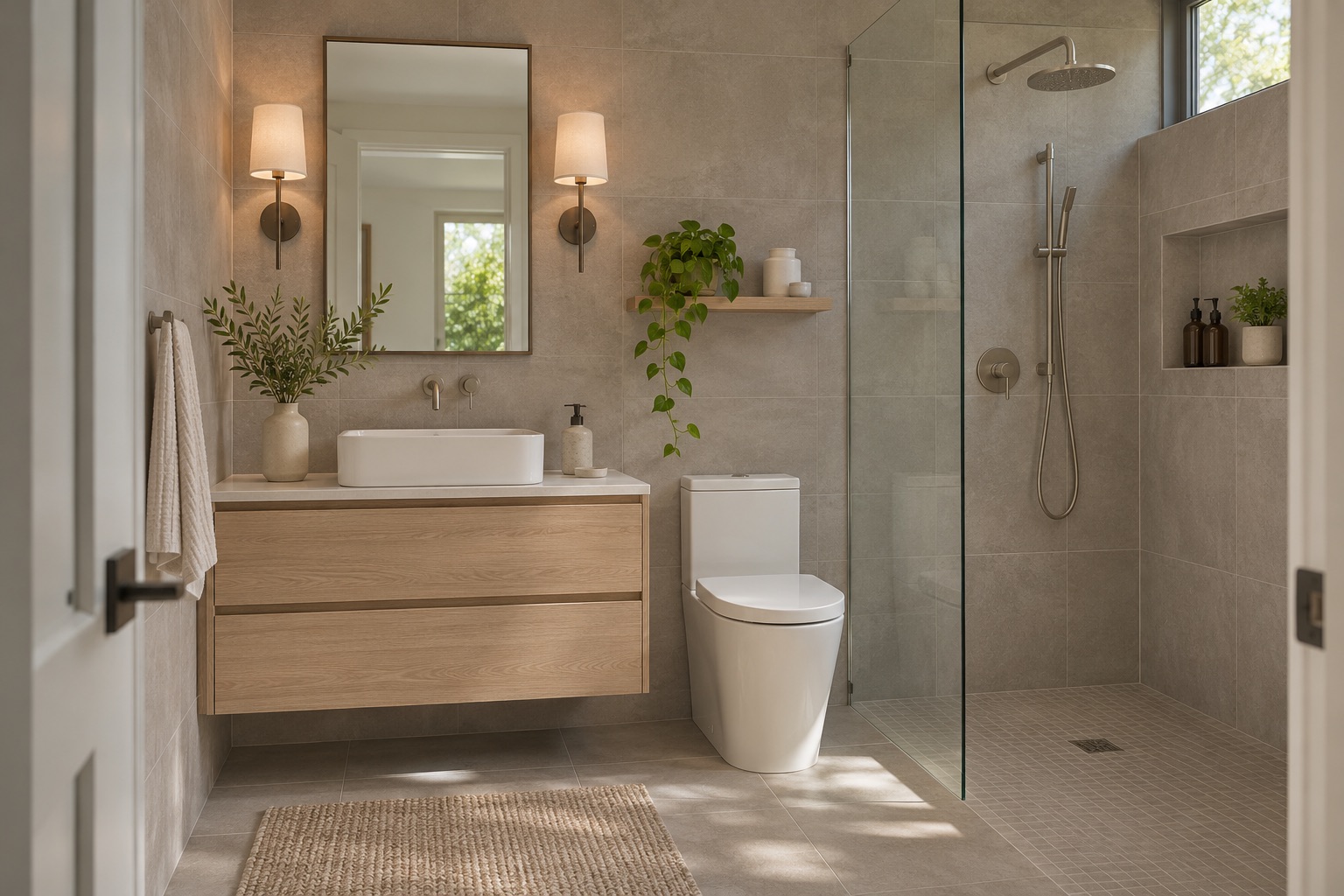
How to photograph the room
Shoot from the doorway if possible and include the vanity, mirror and shower or tub. Remove personal items from view and look for reflections in the mirror before you upload.
Compare tile size and grout contrast
Try a larger wall tile with matching grout for a quieter surface, then smaller tile in the shower area for a more visible pattern. Ask for different wall and floor finishes so you can see how the wet area relates to the rest of the room.
Put useful light around the mirror
Compare lights to either side of the mirror with a single fixture above it. Ask for soft ambient light in the rest of the room, then check whether the concept makes the vanity easy to see without a dark shadow across the face.
Retain fixtures and check the door swing
For a refresh, ask to keep the toilet, shower drain and vanity plumbing where they are. In a compact bathroom, test a shallower vanity concept and check its relationship to the entry and shower doors.
An example design brief
Keep the toilet, shower enclosure and vanity positions. Use large warm-grey wall tiles with close-matched grout, small matte shower-floor tiles, a pale oak vanity and two shaded lights beside the mirror.
What to check against the original
Verify surface slip resistance, waterproofing, ventilation and fixture ratings with a qualified professional. Check tile and grout samples in the actual room under the lighting you plan to use.
Three common design mistakes
Reading generated tile joints as a cutting plan
The model can suggest a tile scale but may draw inconsistent joints or impossible edge cuts. Use the image to choose a direction, then ask the supplier or installer to work out the real layout from measured walls. Check how the tile would finish at corners and around openings.
Choosing surfaces on appearance alone
A matte-looking shower floor in a render does not prove that the real product is suitable for a wet area. Keep a separate materials list and verify the actual product specifications with the supplier and installer. The image cannot establish waterproofing, slip resistance or how a surface performs when wet.
Ignoring the space occupied by doors and drawers
A floating vanity can look compact while its drawers clash with the entry or shower door. Include these openings in the source photo and ask to retain them. Measure their full movement in the real room before ordering furniture, a shower enclosure or replacement fixtures.
Frequently asked questions
Can I try larger tiles in a small bathroom?
Yes. Specify larger wall tiles and a grout color close to the tile, then compare with a smaller tile concept. Look at the balance between the vanity, shower and wall surfaces. The render does not estimate tile quantities, offcuts or the exact number of joints.
Can the tool keep the toilet and shower in place?
List their positions as fixed in the notes and choose a photo that clearly shows both. The model will attempt to follow the request, but positions and proportions can change. Compare the generated result with the original before treating it as a workable brief.
Should I put lights beside the mirror or above it?
Try both arrangements with the same vanity and mirror in the brief. Compare the visible placement and overall mood rather than assuming the image predicts real illumination. Have the selected fixtures, location and suitability for the bathroom checked before installation.
Can I upload a bathroom photo with a mirror?
Yes, but first check the reflection for people, documents or personal items you do not want to share. Use a clear photo of a room you are entitled to upload. The tool sends the processed image to its model provider; see the privacy policy for the data handling details.